Family portal software for family offices.
Principals and family members open a read-only view of what they own, in the browser, from figures the office has already checked against the bank. Each person sees the entities and the screens the office granted, and nothing else.

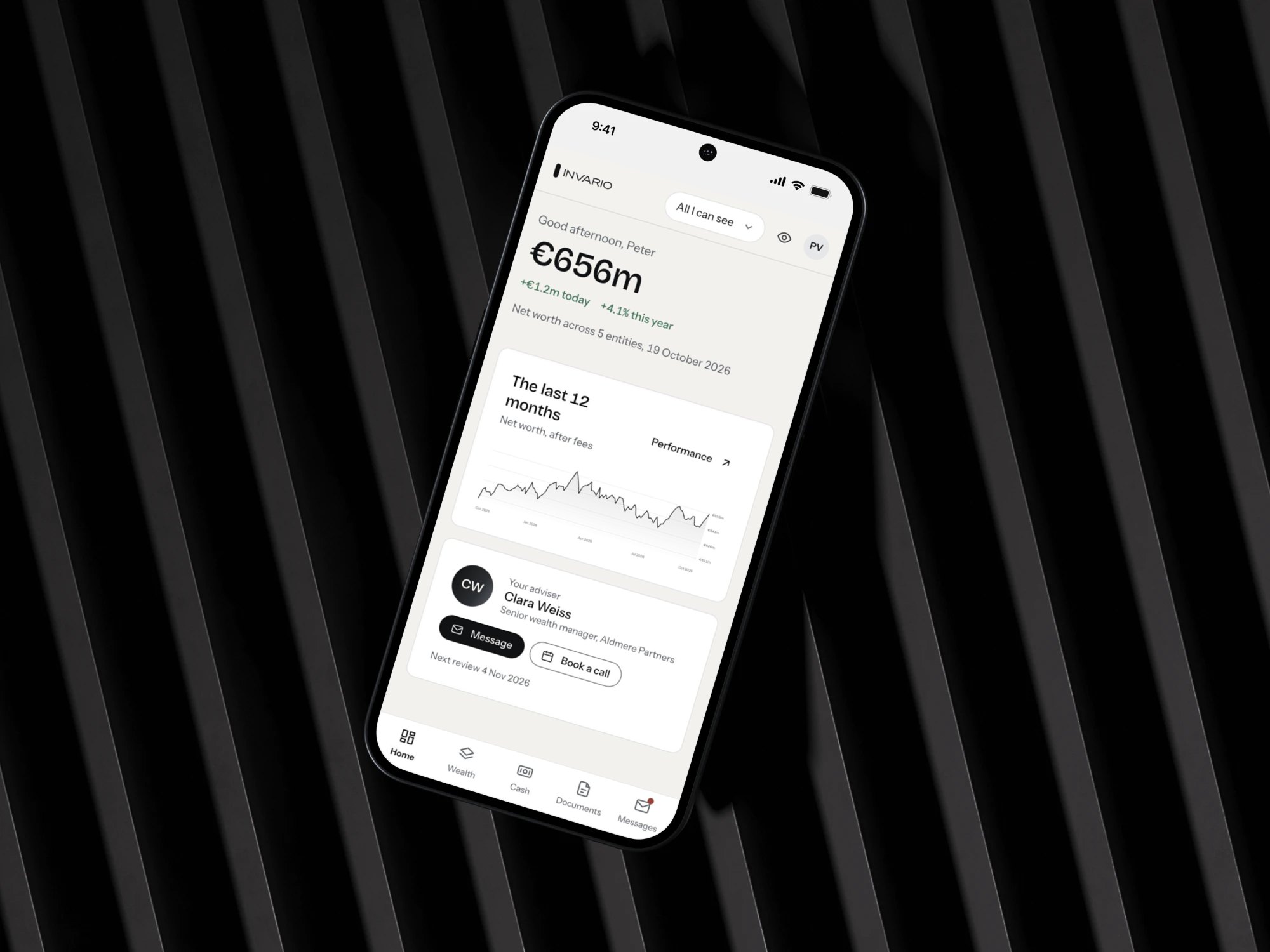
What family members see in the family portal
Each person is given the entities they may see, and the screens that go with them: documents, reports, cash. Nothing appears in the portal until the office grants it.
Sign-in is by email and password with two-step verification on every account. The portal is read-only, so nobody outside the office team can change a transaction or a setting.
Six screens behind one sign-in

How a family membergets access to the portal.
Your team decides who sees which entity before anyone signs in.
-
Your team sets access
Each person is linked to the entities and the screens they may see, and nothing more.
-
They sign in
In the browser, with two-step verification on every account.
-
They read, and ask
Figures from the checked ledger, documents to download, and a request route back to the office.
Questions about the family portal.
If your question is not here, ask us during the demo.
Can family members change anything?

No. The portal is read-only. Transactions, settings and access rights stay with your team.
Does each family member see everything?
No. Access is set per entity and per screen: a principal may see the whole group, another family member only the entities they own.
Is there a mobile app?
No. The portal opens in any modern browser on desktop, tablet or phone. There is no iOS or Android app.
Can a statement be downloaded?
Yes. Documents can be read on screen, printed, or downloaded as a PDF.
Where do the figures come from?
From the ledger your team works in, checked against the bank’s own file each morning: the numbers your team has already reconciled.
We can show whatthe family would see.
We show the portal on anonymised data, so you share no figures.