Family office software for the whole office.
Every client, entity and bank account on one console: the books, the check against each custodian before the working day, and the reports the family reads. Open on specimen data, without a call.


What it does, in two paragraphs.
It keeps the family’s books and shows the total. Each company, trust, foundation and individual a family uses to hold its wealth keeps its own accounts, and every holding lands in the entity that really owns it, so nothing is counted twice and nothing is missed.
The same entries produce the balance sheet, the profit and loss, the cash flow and the reports the family reads. One figure, one place: when the bank and the books disagree you hear about it that morning, not at year end.
The office team keeps the books and closes each period. Auditors get read-only access to the ledger, the audit log and the documents behind each entry.

From one transaction to the financial statements.
The same three steps apply to every entity, from a holding company to an individual.
-
A transaction arrives
From the bank’s file or from your team, with the document kept beside it.
-
It lands in the right entity
The right company, the right currency, the right asset class, at the rate on the day.
-
The family’s reports follow
One set of figures, for you, for the family and for the auditor.
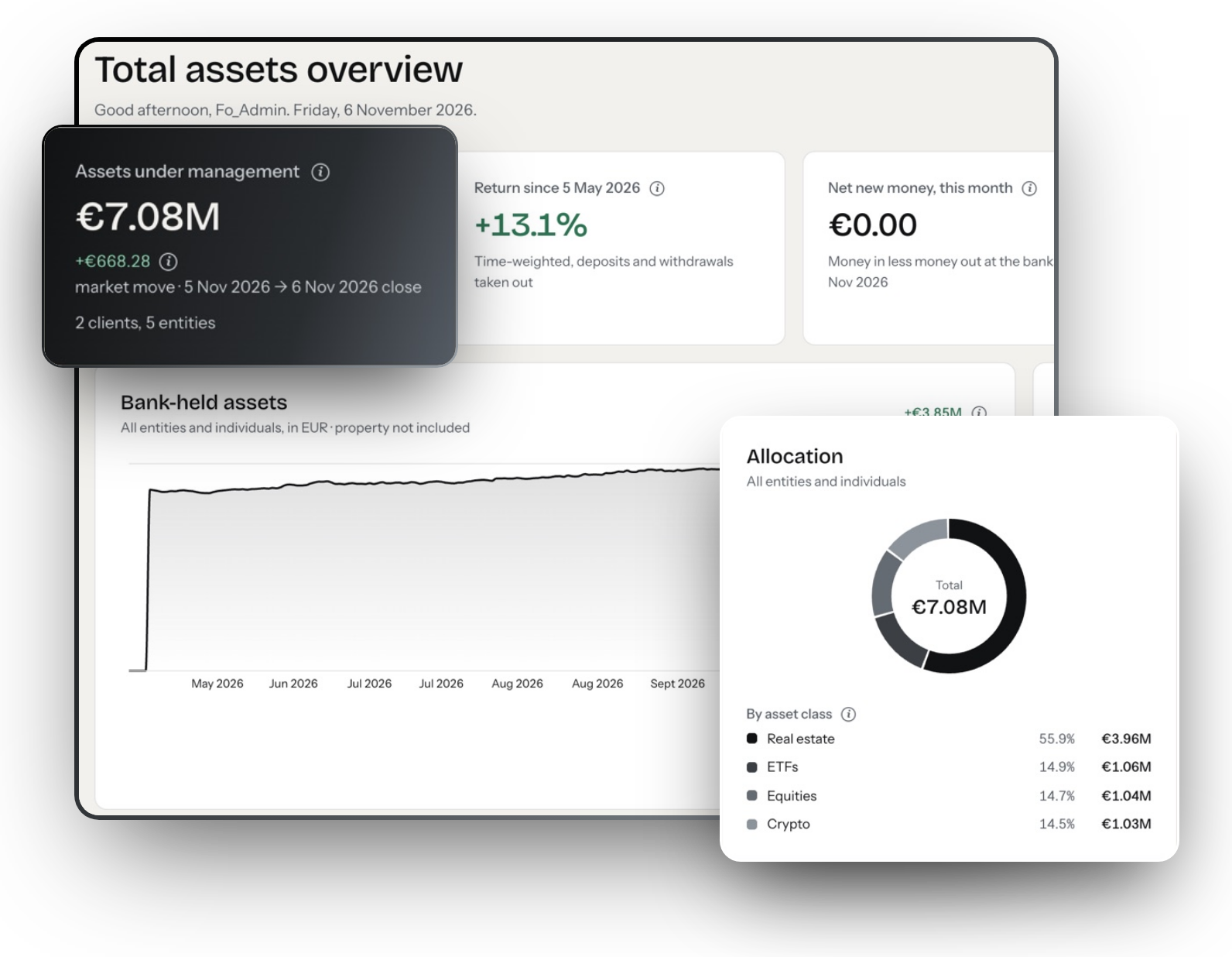
Everything the family owns, on one screen.
Total, return against the benchmark, allocation by asset class, and the short list of things that need a person today: a reconciliation failure, a feed that did not arrive, a valuation that is overdue.
Behind each block sits the ledger for every entity that owns the holding, so the total is read, never assembled.
See the platform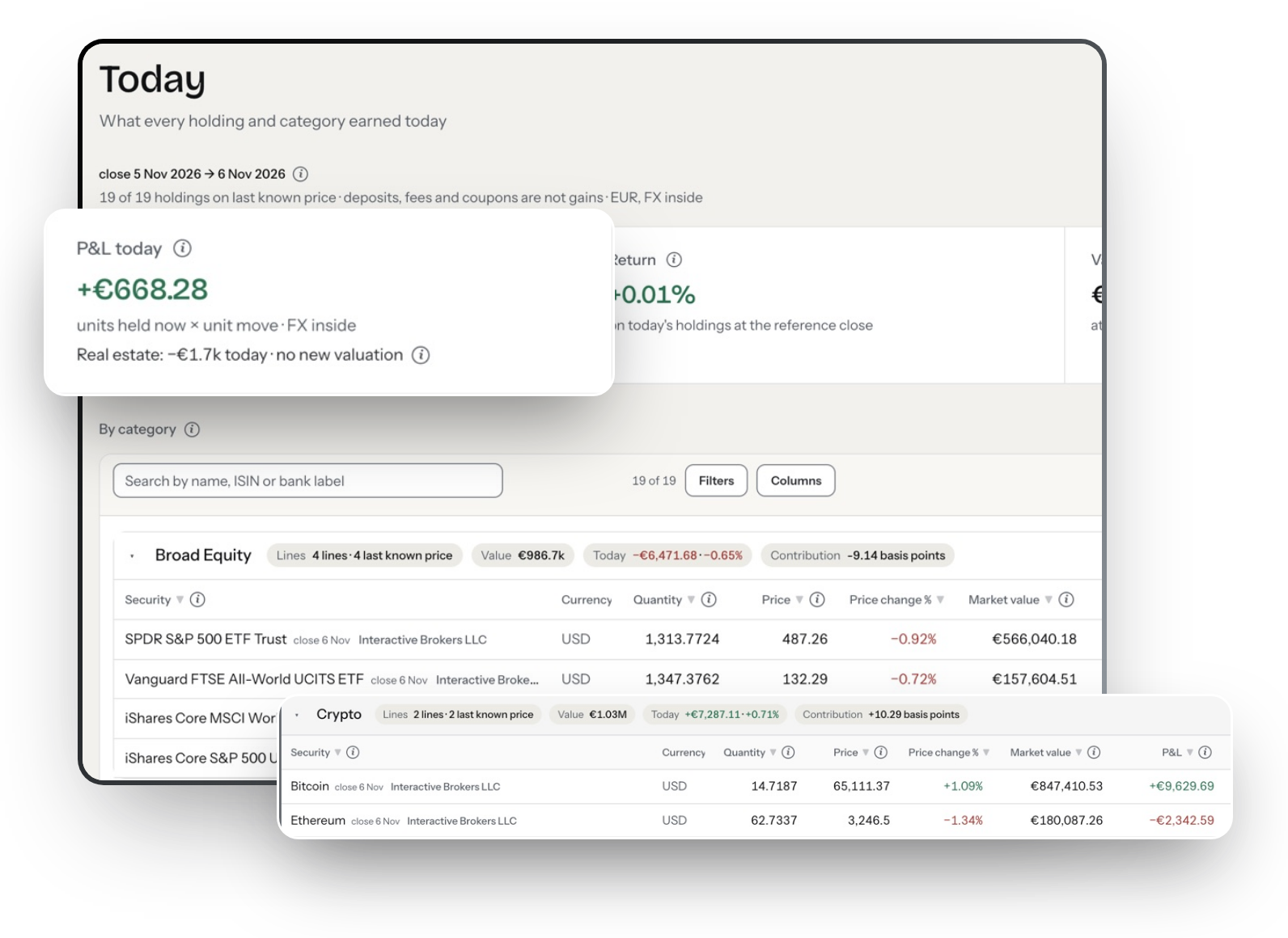
What changed since yesterday.
The daily view, by holding and by category, with deposits, fees and coupons marked as what they are rather than as gains.
Quiet on the mornings nothing moved, which is the point.
See reporting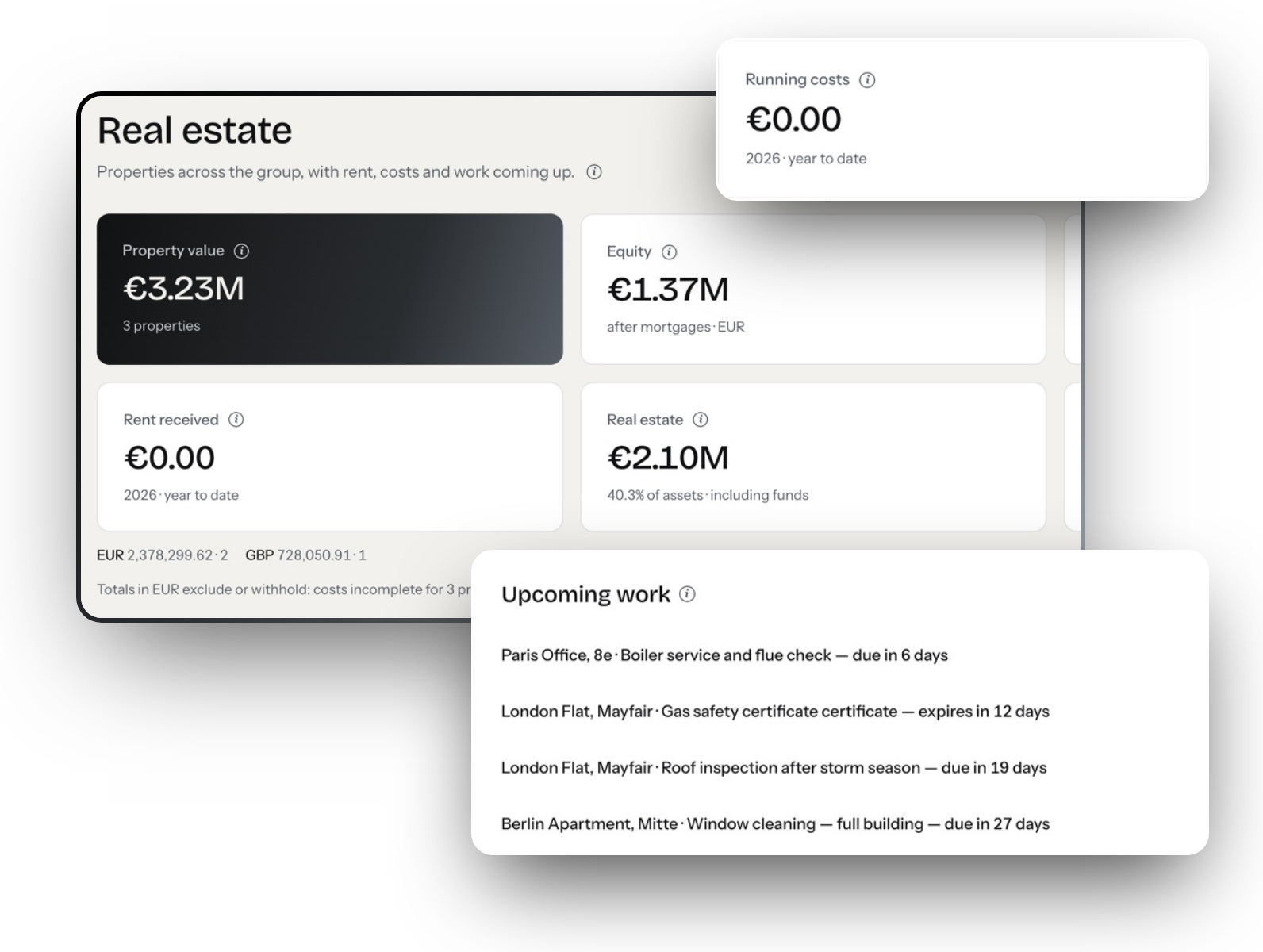
Property, counted once, with its mortgage.
Three properties, their gross value, the equity left after the mortgages, rent received and the running costs to date, in the currency each one is held in.
The same screen carries the diary: boiler service, gas safety, roof inspection. The work that quietly costs money when nobody owns it.
Property in the ledgerAccess, and where the data sits.
Per person, per entity
Access is tied to the clients and companies a person is responsible for.
Multi-factor sign-in
On every account, with single sign-on through Microsoft Entra ID.
Read-only where it belongs
Family members and auditors read; only the office can post.
Nothing deleted
A correction is added with its reason, never written over. The original stays.
Hosted on AWS
Client data on Amazon Web Services. No certification is claimed that we do not hold.
Covered with your IT adviser
Hosting, encryption and access control, in the demo.
More on the security page, including what is not claimed.
One subscription. Never a share of the assets.
The price is flat for the year and quoted after a short call, because it depends on the entities, the custodians and the history you want loaded. It does not rise when the portfolio does.
Questions offices ask before a demo.
Straight answers, in plain words.
What is family office software?

Software that holds everything a family owns and produces the figures the family and its advisers read. In INVARIO that means one ledger per client and entity, a check against every custodian each morning, and the reports built from those entries.
Is it for single or multi-family offices?
Both, and for the independent portfolio managers and advisers who run several client families. Each person signs in with a role and sees only the clients and entities they are given.
Do we have to change how the office works?
No. Statements arrive as they do today and the office posts the same way it always has. What changes is that a second copy of every figure no longer has to be kept in a spreadsheet.
Does it replace our accountant?
No. It gives your accountant books they can follow and the documents behind them. Tax filing stays with them, and read-only access can be given for the period they need.
How is it priced?
A flat annual subscription, quoted after a short call, never a share of the assets. No figure is published.
Can we see it without a call?
Yes. The console is open on specimen data: six client families and 24 entities, and none of your figures.
See a transaction, its postings and its audit log.
One transaction, from the bank file to the balance sheet, on specimen data.